

Stop wasting time on boilerplate UIs and endless component styling. In 2025, developers demand speed, ownership, and quality components that just work. You’ve heard the buzz: shadcn/ui is everywhere, powering the fastest-growing startups. But a core question remains for new users: Can shadcn be used in React?
This guide gives you the definitive answer and the architecture you need to integrate shadcn/ui flawlessly into any modern React project, from Next.js to Vite.
Quick Takeaways:
- 100% Yes: shadcn/ui was built specifically for React and its modern ecosystem (hooks, context, composition).
- React-Only: It’s not a framework-agnostic CSS library; it ships as actual React + TypeScript component files (
.tsx). - Next.js First: While it works everywhere, its #1 use case is the Next.js App Router.
- Full Ownership: You get the source code, allowing for deep, powerful customization without fighting library constraints.
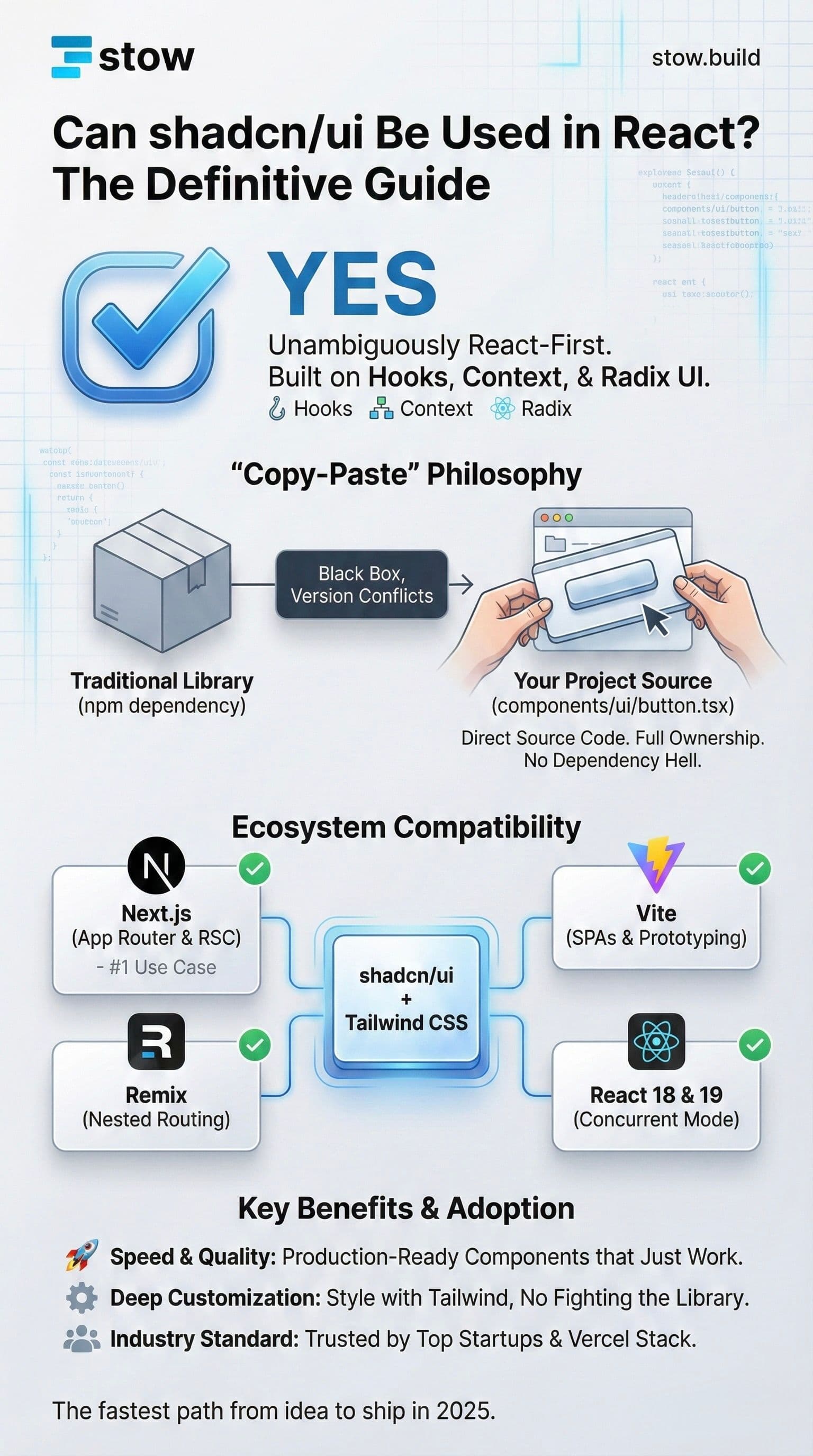
The Unambiguous Answer: Why shadcn/ui is React-First
The most straightforward answer to "Can shadcn be used in React?" is: Yes, absolutely.
In fact, shadcn/ui is not just compatible with React—it is fundamentally a React-only solution.
Unlike older libraries that might be wrapper-components around plain HTML/CSS, shadcn/ui is written entirely in React and TypeScript. Every component leverages core React patterns:
- Hooks (e.g.,
useState,useContext,useCallback) - Context API for state management
- Component Composition (for maximum flexibility and reusability)
This deep integration with the React paradigm is what makes the library so powerful and why it is the default choice for millions of developers building modern UIs today.
Integration Proof: Dropping shadcn/ui into Any React Project
The beauty of shadcn/ui is its simplicity. You don't install a component library package; you install components directly into your project's source code. This eliminates the dependency hell and version conflicts common with massive component libraries.
You can instantly install a component like Button in any React project (Next.js, Vite, Remix) using two quick CLI commands:
# Initialize shadcn/ui in your project directory
npx shadcn-ui@latest init

# Add a component (e.g., Button)
npx shadcn-ui@latest add button
That’s it. The component source code lands in a local directory (components/ui/button.tsx) and is ready to use immediately. Find it. Stow it. Ship it.
Technical Compatibility: React 18, 19, and Server Components
If you’re running a modern React application, shadcn/ui has you covered.
React 18 and React 19
shadcn/ui is fully compatible with the latest React versions. The underlying Radix UI primitives ensure high accessibility and performance under React's Concurrent Mode. The CLI even detects your React version during initialization to optimize the configuration.
Next.js and React Server Components (RSC)
This is where shadcn/ui truly shines. The vast majority of its adoption is within the Next.js ecosystem. It works perfectly with the App Router (app/ directory).
- The Workflow: You use a Server Component to fetch data or handle routing. You then compose a shadcn/ui component (which is typically a Client Component) inside the Server Component.
- Result: You get the performance benefits of RSCs with the interactivity of client-side UI components. This hybrid approach is a core reason for its success in Next.js 14 and 15.
Does shadcn/ui Work with Other React Frameworks?
While Next.js is the most common home for shadcn/ui, the components are framework-agnostic within the React ecosystem. If it runs React, it runs shadcn/ui.
| Framework | Compatibility | Use Case Details |
|---|---|---|
| Vite | Perfect | A highly popular choice for single-page apps (SPAs) and rapid prototyping. |
| Remix | Perfect | Fits seamlessly into Remix’s nested routing and progressive enhancement model. |
| Gatsby | Yes | Works great for static sites where you still need interactive UI elements. |
| Expo (React Native Web) | Yes | Allows for components to be used on the web, though native components require different libraries. |
The single requirement is that your React project uses Tailwind CSS. The components are styled with Tailwind utility classes. While you could strip the styles and use plain CSS or a different utility library, 99.9% of developers keep the Tailwind integration for maximum speed and component coherence.
The Ecosystem: Adoption and Developer Confidence
If you need proof of concept, look no further than the adoption numbers (December 2025):
- GitHub Stars: Over 105,000, making it one of the most-starred React UI projects.
- Industry Standard: It forms the default stack on Vercel, Cursor, and v0.dev (Next.js + Tailwind + shadcn/ui).
- Production Grade: Used by major tech teams and thousands of indie hackers shipping successful products.
If you’re using React in 2025, shadcn/ui doesn’t just work—it’s one of the default, most-recommended ways to build beautiful, accessible, production-ready UIs. It's deliberately and unapologetically made for the React + Tailwind ecosystem—and that’s exactly why it’s winning.
Summary
The question "Can shadcn be used in React?" is answered with a confident Yes. shadcn/ui is a best-in-class, React-first UI solution built on the principles of component composition, full source code ownership, and modern web accessibility (via Radix UI). It integrates seamlessly across every major React framework, from the Next.js App Router to Vite, making it the fastest path from idea to ship.
Ready to ship?
Stop copying and pasting code. Browse the Verified Stow Components and cut your development time in half with high-quality, pre-built components for every framework.